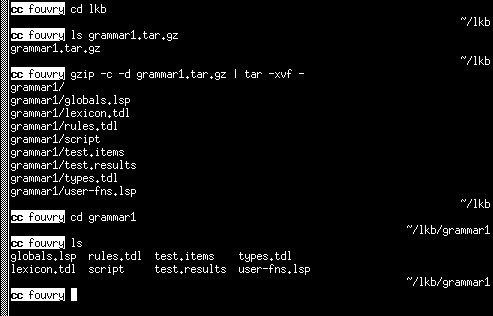
To make the grammar files available in your user area, unpack the
*.tar.gz files as follows (in Linux or Unix):
The first command should bring you to the directory where the *.tar.gz file is residing (which may of course be your home directory). ls grammar1.tar.gz checks that that is really the case. The next command unpacks the grammar, and puts the directory grammar1.
For the other grammars (than grammar1), the names obviously must be adapted appropriately.
For Unix and Linux: just print the files ;-)
From Windows:
If you have a Postscript printer, then
copy file.ps lpt1
might work nicely. Otherwise, there are PDF files too, but they do not look nice on screen although they should print fine.
| Transparencies | Excercise |
|---|---|
| Day 1 | Day 1 |
| Day 2 | Day 2 |
| Day 3 | Day 3 |
| Day 4 | |
| Data Day 5 |